

Type Shogun
Learn to type! Type Shogun is a colorful educational typing adventure where players defeat targets by typing letters, words, symbols, and passages. Build keyboard confidence, practice WPM, and save the Keyboard Kingdom.

Offers
What are keyshops?Official stores
Official stores with direct support.
About Type Shogun

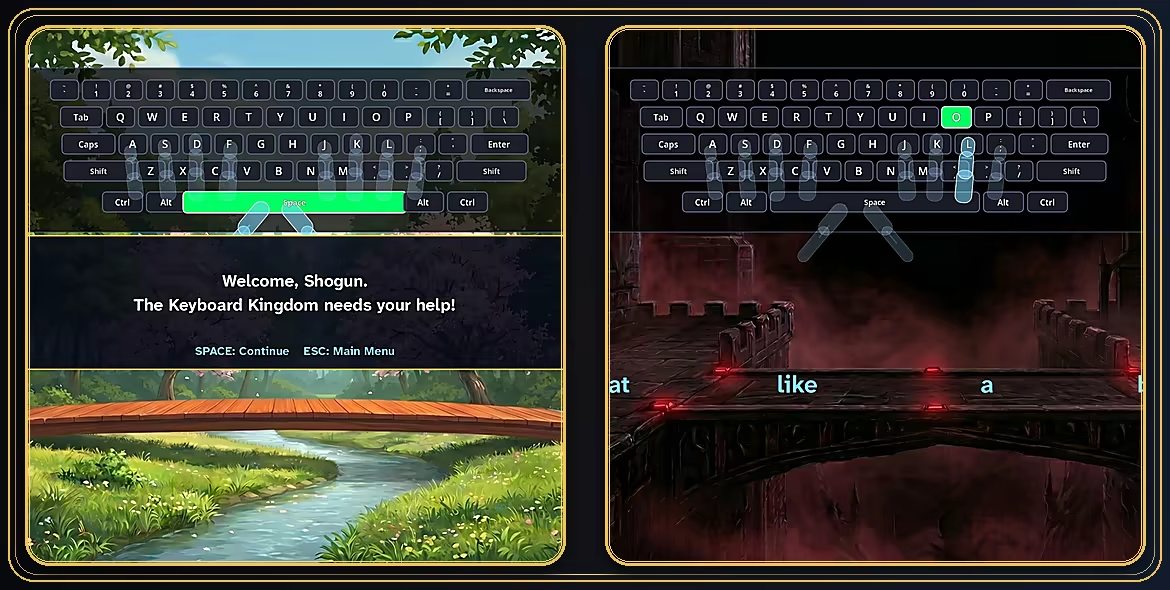
Type Shogun is a colorful educational typing adventure where keyboard practice becomes a battle to defend the Keyboard Kingdom.
Learn proper typing technique from the very beginning. Letters, numbers, words, symbols, and passages move across the screen. Type them before they reach your Shogun. Correct typing triggers sword attacks, while later challenges test your speed, accuracy, and focus.
Build keyboard confidence through play
Type Shogun helps players practice real keyboard skills in a more engaging way. Instead of staring at static drills, players learn by reacting, typing, improving, and progressing through a colorful shogun quest.
Save the Keyboard Kingdom
Begin with a guided tutorial, then progress through campaign battles that introduce new typing challenges step by step. Practice letters, capitalization, numbers, symbols, words, and passage-style typing as you fight toward the Dark Shogun's castle.

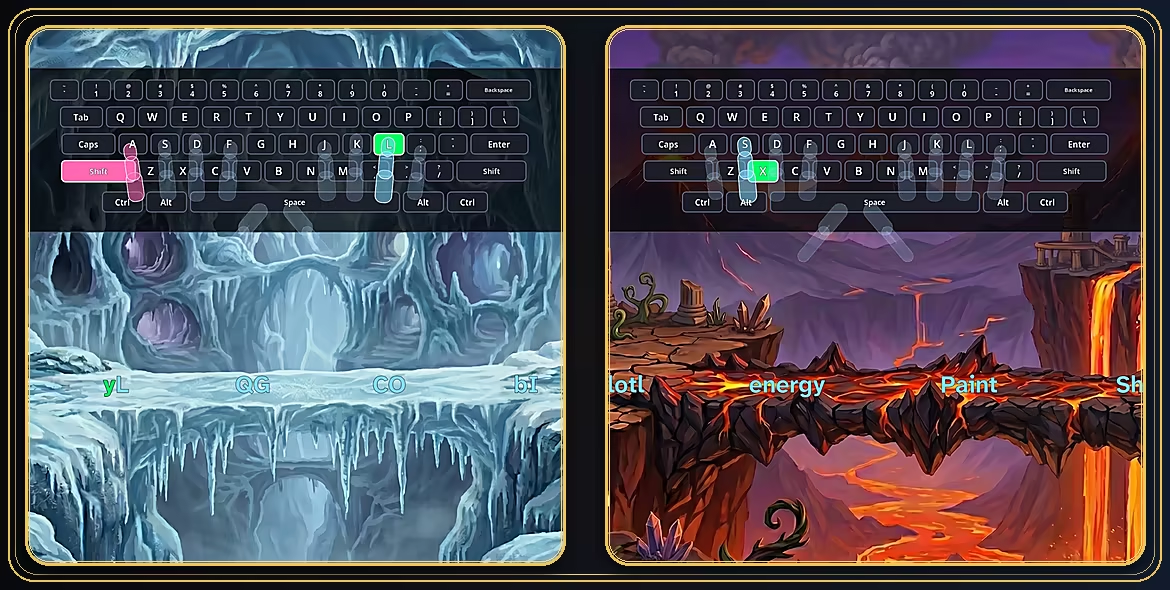
A unique keyboard guide overlay shows the key to press, while transparent hand and finger guidance helps players see which finger should reach each letter, number, or symbol. These visual learning tools help new typists build correct habits early by reinforcing home-row technique and finger-to-key memory as they play.
Parents can see the learning happen. As new typists follow the on-screen keyboard and transparent hand overlays, they are encouraged to press each key with the intended finger instead of hunting and pecking. From the first tutorial lesson, Type Shogun helps build the muscle memory behind proper home-row technique.
For new and experienced typists
Type Shogun is perfect for children and adults. Guided typing help, adjustable challenge settings, Sandbox practice, and WPM tests give beginners room to learn while giving stronger typists ways to practice speed, accuracy, and consistency.
Practice your way
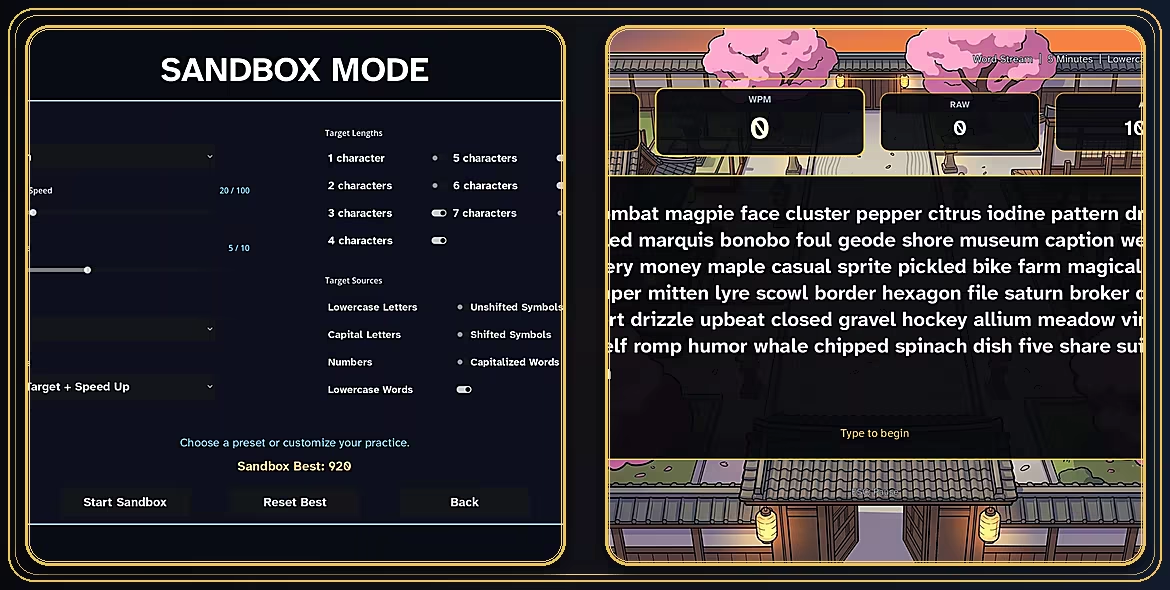
Sandbox Mode lets you customize typing practice with adjustable speed, spawn timing, target types, and challenge settings. Make practice calmer, faster, simpler, or more intense depending on what you want to train.
Test your speed
WPM Mode includes timed typing tests, generated word streams, quotes, paragraphs, custom text practice, saved seeds, and local records for repeatable challenges.

Perfect for children and adults
Colorful typing adventure campaign
Beginner-friendly tutorial
Letters, numbers, words, symbols, and passages
On-screen keyboard guide
Transparent hand and finger guidance
Customizable challenges for first-time typists and experienced keyboard users
Sandbox Mode with adjustable speed, spawn rate, target types, lives, and FREEZE ability
WPM Mode with built-in passages, generated practice, custom text, and saved records
Built-in typing practice library
Custom text practice
Saved seeds and local records
Adjustable difficulty, text size, contrast, music, sound effects, and gameplay options
Keyboard-only option (no mouse required to play)
Single-player
Available on Windows and macOS
A keyboard-first adventure
Type Shogun is designed around typing. Use your keyboard to practice skills, defeat targets, and protect the kingdom.
Learn to type. Master the keyboard. Save the kingdom.
Game details
Game details
Age ratings
Game modes
Languages
Features
Type Shogun — frequently asked questions
Where can I buy Type Shogun at the cheapest price?
Right now the cheapest offer for Type Shogun is €25.91 at Steam. KingsPrice compares 1 offers from 1 stores — official stores and keyshops — and refreshes prices throughout the day.
How can I get Type Shogun at a discount?
Create a free price alert on this page and KingsPrice will email you when Type Shogun drops below your chosen price. The biggest discounts usually appear during seasonal Steam sales and publisher promotions — the sale calendar on this page shows the next confirmed event.
System requirements
Minimum
- Requires a 64-bit processor and operating system
- OS: Windows 10, 64-bit
- Processor: 64-bit dual-core processor
- Memory: 4096 MB RAM
- Graphics: DirectX 12 compatible integrated graphics or better
- DirectX: Version 12
- Storage: 350 MB available space
- Sound Card: Windows-compatible audio device
- VR Support: N/A
- Additional Notes: Physical keyboard required.
Recommended
- Requires a 64-bit processor and operating system
Similar at tracked lows


Games like Type Shogun (8)
 64% match
 62% match
 59% match
 59% match
 59% match
 59% match
 58% match-45%
 58% match